Spyware exploits zero-day vulnerabilities through invisible messages
Attackers compromise iPhones by chaining undisclosed software flaws together, allowing spyware to bypass system defenses silently through message attachments.
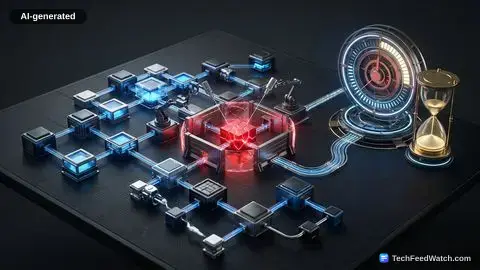
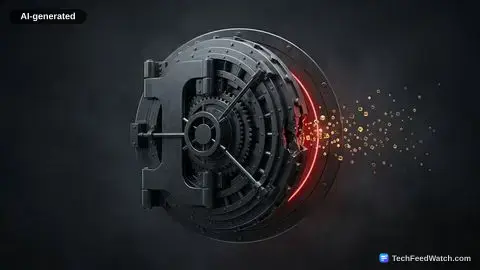
Sophisticated adversaries bypass traditional security layers by purchasing or developing zero-day exploits. According to Kaspersky’s research on “Operation Triangulation,” an advanced persistent threat campaign compromised iOS devices using an exploit chain of four zero-day vulnerabilities delivered silently through an invisible iMessage attachment.
The malicious message initiated code execution, escalated privileges, and granted persistent surveillance access without ringing or displaying a notification.
Once inside the device, mercenary spyware takes complete control of communications. According to The Citizen Lab at the University of Toronto, a Pegasus spyware infection grants the attacker virtually unrestricted remote access to the iPhone. The surveillance operators harvest stored photos, exfiltrate encrypted chat histories, track live geolocation data, and remotely trigger the microphone and camera.
These exploits frequently target underlying media parsing engines. According to the Cybersecurity and Infrastructure Security Agency (CISA), multiple iOS vulnerabilities—including remote code execution flaws in the Image I/O framework and WebKit—have been cataloged in the Known Exploited Vulnerabilities (KEV) database due to confirmed exploitation in the wild by threat actors.
Attackers use these parsing flaws to execute shellcode the moment an application renders a malicious image or web script.
Can targeted attacks infect your device without clicking links?
Yes, zero-click exploits infect target iPhones without requiring any user interaction, file downloads, or link clicking.
Traditional phishing schemes require the target to click a URL or approve an untrusted profile installation. According to The Citizen Lab, forensic investigations confirmed that commercial mercenary spyware, including NSO Group’s Pegasus, has repeatedly compromised iPhones using zero-click iMessage exploits that require zero interaction from the victim.
The attack succeeds because background system daemons automatically process incoming network data. When an iMessage arrives, background services unpack image previews and font files before the user opens the conversation. Attackers structure malformed data packets that trigger memory corruption flaws during this automatic preview generation.
According to The Citizen Lab in August 2026, Apple issued threat notifications alerting targeted individuals across 110 countries that their devices had been targeted by sophisticated mercenary spyware attacks. Journalists, political dissidents, and corporate executives face the highest probability of confronting zero-click attacks.
Lockdown Mode and software updates prevent mobile compromises
Regular software updates patch active security flaws while Lockdown Mode strips down vulnerable features to block advanced spyware campaigns.
Keeping iOS updated remains the primary defense against weaponized exploits. Vendor security patches eliminate the vulnerabilities that mercenary exploit chains rely on to pivot through system memory. When an update closes a WebKit or Image I/O hole, existing zero-click payloads fail to execute.
According to Apple Support, Lockdown Mode—available on iOS 16 and later—reduces the attack surface against spyware by strictly blocking most message attachments, disabling complex web browsing technologies such as Just-In-Time (JIT) JavaScript compilation, and blocking unsolicited FaceTime calls and invitations. Removing complex font handling and JIT engines closes off the specific architectural features exploit developers abuse.
Apple also runs active surveillance detection mechanisms. According to Apple Support, Apple sends threat notifications directly to affected devices and via [email protected] when it detects activity consistent with mercenary spyware attacks, advising recipients to immediately activate Lockdown Mode.
Lockdown Mode changes specific system behaviors to protect the operating system:
- Blocks incoming message attachments other than select basic image formats.
- Disables complex web technologies like JIT JavaScript compilation across all browsers.
- Denies incoming FaceTime calls and service invitations from unknown callers.
- Prevents wired accessory connections to computers while the phone remains locked.
Olseatech Solutions explains zero-click exploits and iPhone malware
Olseatech Solutions explains that while iOS enforces tight sandboxing, determined attackers use zero-click exploits and social engineering to bypass standard smartphone defenses.
In 2012, an infection called Flashback compromised an estimated 600,000 Macs worldwide, according to Olseatech Solutions.
Olseatech Solutions notes that in 2015, a counterfeit developer tool called XcodeGhost inserted malicious code into genuine App Store applications. In 2021, security researchers identified the FORCEDENTRY exploit chain, according to Olseatech Solutions. Olseatech Solutions also highlights that Kaspersky discovered Operation Triangulation in 2023, proving that zero-click iMessage attack chains bypass device defenses without alert banners.
Common consumer risks often rely on psychological tricks rather than exploit chains. As Olseatech Solutions explains, “Your phone doesn’t need a classic virus to put your accounts at risk; it just needs you to tap the wrong link.”
The presenter cautions that attackers distribute malicious configuration profiles that route traffic through external servers. Users can audit this surface by opening Settings, selecting General, and moving to VPN & Device Management to delete unauthorized enterprise profiles.
The creator underlines that user discretion remains the ultimate defensive perimeter. Olseatech Solutions emphasizes: “The biggest security feature is still you.”