Generative algorithms replace manual rotoscoping and frame creation
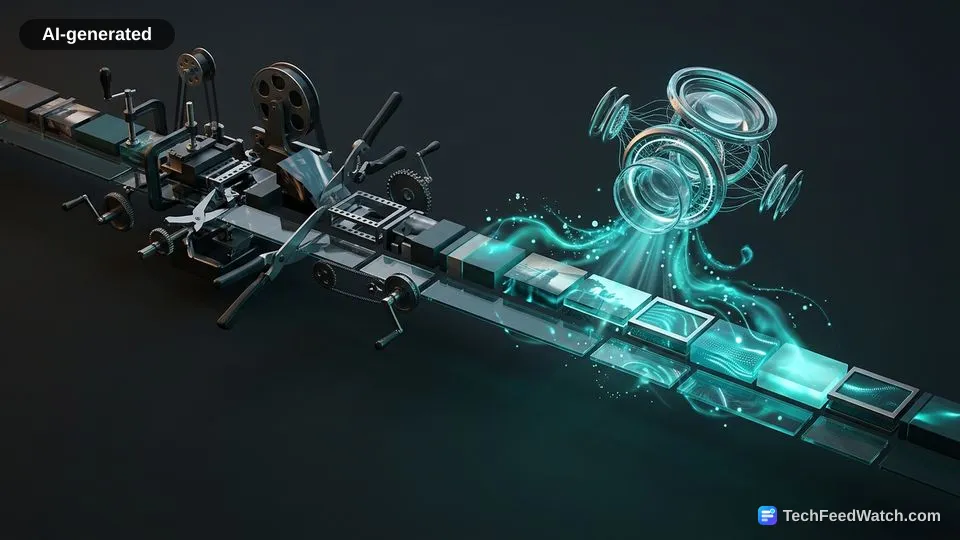
Generative algorithms replace manual rotoscoping and frame creation by analyzing image data across temporal sequences to synthesize realistic objects, backgrounds, and motion paths.
Manual rotoscoping has historically represented one of post-production’s most expensive bottlenecks. Artists trace moving subjects across 12 to 30 frames per second to separate performers from physical backgrounds. Machine learning models bypass this manual requirement through semantic object tracking, maintaining clean matte boundaries around hair, transparent glass, and fast-moving limbs.
Algorithmic generation also solves the problem of insufficient coverage in filmed footage. When an editor lacks enough head or tail footage to complete a planned dissolve, traditional workflows force awkward jump cuts or re-shoots. Generative models study the surrounding pixels, lighting vectors, and movement velocities to build synthetic buffer frames that match original camera motion.
Production pipelines benefit from this algorithmic shift in specific ways:
- Automated subject isolation enables background swaps without physical green screens.
- Frame synthesis algorithms fill compositional gaps caused by abrupt cuts or framing errors.
- Algorithmic relighting tools adjust scene ambiance without complex three-dimensional relighting passes.
- Temporal interpolation algorithms create realistic slow-motion shots from low-frame-rate source clips.
Uncontrolled generative synthesis can introduce spatial warping, edge flickering, and unnatural textures. Editors must remain vigilant in spotting the difference between AI video and real video to ensure final outputs preserve photorealistic continuity across commercial cuts.
Which software platforms lead the AI video editing market?
The AI video editing market divides between legacy non-linear suites embedding machine learning into existing timelines and web-native platforms built around generative neural networks.
Enterprise editing suites approach AI as an accelerator for existing professional editors. Companies that dominate broadcast and cinematic post-production embed neural tools into established multi-track timelines. These features focus on timeline repair, automated transcription, speech cleanup, and subtle generative extensions that keep projects inside compliant production standards.
Web-native generative platforms take a divergent architectural approach. These applications operate primarily in the cloud, utilizing distributed graphics processing units to synthesize media directly from text prompts and reference imagery. They target rapid iteration, social media publishing, and dynamic asset generation for marketing teams requiring fast turnaround.
Users selecting a platform must weigh distinct operational trade-offs:
- Desktop suites offer deep hardware integration, precise color controls, and offline reliability.
- Cloud platforms eliminate local hardware limitations but require persistent high-speed internet bandwidth.
- Legacy software prioritizes footage integrity, whereas cloud generative tools prioritize speed and creative variation.
- Enterprise applications provide standardized metadata compliance, while experimental web tools move faster with new neural feature sets.
Premiere Pro and Runway set professional generative standards
According to platform documentation from Adobe and Runway, both platforms establish technical frameworks for generative frame synthesis and footage transformation.
Adobe approaches AI editing through workflow-focused utility that operates within professional editing constraints. According to Adobe Help Center documentation, Adobe Premiere Pro uses Firefly-powered Generative Extend to generate up to 2 seconds of new video frames and up to 10 seconds of background audio room tone to smooth transitions and pacing.
This capability allows editors to lengthen a reaction shot or fill awkward audio silence without rebuilding an entire scene.
Adobe balances this generative power with strict technical and ethical boundaries. According to Adobe’s technical documentation for Premiere Pro, Generative Extend is restricted to 1920x1080 or 1280x720 resolutions, 16:9 aspect ratios, 12 to 30 frames per second, and 8-bit SDR footage, and it intentionally mutes or prohibits generating synthetic spoken dialogue and music.
According to Adobe, the software attaches tamper-evident Content Credentials metadata to exports that use generative tools to identify when artificial intelligence was used in post-production.
Runway approaches post-production from a generative-first perspective. According to Runway’s official platform documentation, machine learning models like Aleph 2.0 allow users to make targeted generative edits to real filmed footage, including swapping objects, altering scene lighting, and removing backgrounds without manual rotoscoping.
Instead of simply extending existing video clips, Runway’s architecture lets editors transform filmed environments completely by applying text-guided restyling passes over live-action plates.
Adobe prioritizes timeline stability and legal safety for broadcast operations. Runway pushes creative boundaries, giving creators access to prompt-based transformation tools that bypass traditional camera equipment altogether.
Review Insider demonstrates chat-based text editing in Morphic
Review Insider demonstrates how modern cloud platforms unify generative creation, conversational chat adjustments, and asset references inside a single canvas interface.
Review Insider tested the Seedance 2.5 model inside the Morphic platform over the past week to evaluate how chat-directed editing speeds up ad production. The creator emphasized that altering existing elements quickly without rebuilding assets from scratch represents the true test of modern AI workflows.
The creator demonstrated this workflow by loading a simple video clip of wireless headphones into the Morphic canvas. Rather than using manual keyframes, Review Insider opened a chat window and instructed the model to add a text overlay labeled “Sound Simplified” placed in the bottom left corner.
According to Review Insider, generating the overlay took a few seconds, appearing on screen at about 2 seconds into playback.
Review Insider then tested chat-directed positioning changes on the exact same asset. The creator typed a prompt directing the chat assistant to move the text overlay to the center and fade it out 3 seconds before the end of the video.
The model updated the timeline layers automatically, generating three different video variations inside the same workspace without regenerating the underlying product video.
Review Insider also demonstrated Morphic’s Copilot mode to produce a marketing hero shot from uploaded brand references. According to Review Insider, Seedance 2.5 supports 50 reference assets natively, ensuring that brand colors and product geometry remain consistent across repeated iterations.
To test audio alignment, the creator supplied a voiceover track and commanded the platform to match visual pacing and generate accurate lip synchronization, noting that older tools frequently failed to align audio and video cues.
Review Insider concluded the demonstration by testing a coffee commercial project to show rapid aspect ratio adjustments. The creator altered camera angles, upscaled visual quality, and shifted the canvas to a 9:16 aspect ratio in minutes.
Review Insider noted, “Instead of taking one idea through a completely new production process every time I want a variation, I can launch multiple directions from the same starting point and compare them together.”