Extended reality (XR) is rapidly evolving beyond distinct augmented reality (AR) and virtual reality (VR) categories, converging into hybrid devices that blend immersive and overlay experiences. This shift heralds a future where digital interactions are more fluid and integrated into our physical world, with Android XR emerging as a foundational platform for this transformation.
What Are Android XR Hybrid Glasses and How Do They Work?
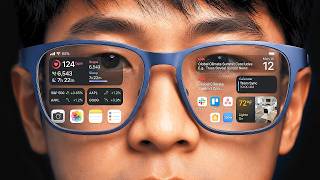
Android XR describes an operating system tailored for extended reality devices, bridging the gap between fully immersive virtual environments and digitally augmented real-world views. These are not merely VR headsets or AR smart glasses; they represent a new class of device that combines elements of both. A prime example is the XREAL AURA, which functions as Android XR glasses, specifically designed as a hybrid. This means users can transition between seeing their physical surroundings with digital overlays and entering more enclosed, virtual experiences smoothly. For a deeper understanding of these technologies, consider What Is the Difference Between AR and VR Technology?.
The core functionality of Android XR glasses relies on sophisticated display technology and solid interaction methods. While specific numbers for field of view (FOV) and resolution can vary, these metrics are always critical for user immersion and clarity. A dimming feature, for instance, allows users to adjust the transparency of the lenses, enabling a fuller VR experience by blocking out external light or maintaining awareness of the physical environment for AR applications.
Interaction within the Android XR environment often extends beyond gestures or head movements. Many hybrid systems, including the XREAL AURA, utilize a spatial computing puck. This external device serves multiple purposes: it houses significant processing power, reducing the bulk and heat in the glasses themselves, and often includes a Puck Touchpad for precise navigation. This puck helps manage complex tasks, enabling smoother performance and greater versatility. It acts as the central hub for spatial anchoring, a critical technology that allows digital objects and interfaces to remain fixed in the physical space, regardless of the user’s head movements. This stability is key for creating believable and functional augmented experiences.
The Android XR ecosystem supports two primary types of applications: Flat Apps and Spatial Apps. Flat Apps are familiar 2D interfaces, much like those found on smartphones or tablets, projected onto a virtual screen within the glasses. This allows users to access existing applications in a new, often larger format. In contrast, Spatial Apps are built from the ground up for 3D interaction, leveraging the depth and environmental understanding of the XR device. These applications can integrate digital elements directly into the user’s physical space, offering more immersive and contextual experiences. Beyond puck-based input, hand tracking also presents an intuitive way to interact with these virtual elements. This natural form of interaction is vital for reducing friction and accelerating the adoption of immersive technologies, as explored in VR Hand Tracking Reduces Friction to Accelerate Mainstream VR Adoption.
How Does Android XR Enhance Everyday Computing and Entertainment?
The versatility of Android XR hybrid glasses extends across various daily activities, from boosting productivity to transforming entertainment. For professionals, the capability to create a multi-window setup is particularly impactful. Users can project several virtual screens into their workspace, connected to a laptop or other devices, effectively expanding their digital real estate far beyond physical monitor limitations. This can facilitate complex tasks, such as coding, data analysis, or graphic design, by providing an expansive and customizable interface.
Entertainment experiences also see a significant upgrade. Users can watch 3D movies on platforms like YouTube, transforming any location into a personal cinema with a large, virtual screen. This immersive viewing experience eliminates the need for a physical large screen and offers a sense of presence difficult to achieve with traditional displays. Similarly, playing games in VR on a large virtual screen becomes possible, whether it involves existing VR titles or traditional games projected onto an expansive display.
Integration with established platforms and AI services further enhances Android XR’s utility. Devices can leverage powerful AI models like Google Gemini, which offers multimodal capabilities. As Nathie points out, Gemini can interpret visual information from the glasses’ camera, providing contextual assistance or information about the user’s environment (“Gemini Can See”). This opens doors for advanced augmented reality applications, from intelligent navigation overlays in Google Maps to real-time information about objects viewed through the lenses. This integration into the broader Android XR Ecosystem suggests a future where digital assistance is always visually present and contextually aware. For more on real-world AR applications, see What Are Some Examples of AR in Daily Life?.
The performance of these hybrid devices is a critical factor influencing the user experience. Smooth rendering of virtual content, low latency for interactions, and efficient power management are all essential for sustained usability. As the Android XR ecosystem matures, continuous improvements in hardware and software optimization will be key to opening up the full potential of these devices.
What To Actually Do
To fully grasp the potential of Android XR hybrid glasses, consider practical engagement rather than abstract speculation. The most direct approach involves experiencing the technology firsthand. Trying out devices like the XREAL AURA allows users to understand the nuances of a spatial computing puck’s control, the efficacy of a multi-window setup for productivity, and the immersion offered by watching 3D movies or playing games in VR.
Begin by assessing your primary use cases. If expanding your digital workspace is a priority, evaluate how effectively a multi-window setup integrates with your existing workflow. If immersive entertainment appeals, test the visual fidelity and comfort of extended viewing sessions. Pay attention to how the spatial computing puck facilitates interaction and whether hand tracking provides a natural alternative.
Explore the integration of services like Google Gemini and Google Maps within the Android XR environment. These examples illustrate how traditional applications can gain new dimensions when integrated with spatial computing capabilities. The distinction between Flat Apps and Spatial Apps also becomes clearer through direct experience; understand which applications truly benefit from a 3D environment and which remain more efficient as projected 2D interfaces.
Recognize that Android XR is an evolving platform. While current devices offer compelling experiences, the Android XR Ecosystem is continually expanding with new hardware, software, and developer tools. Engaging with this technology now provides insight into the direction of spatial computing and its eventual impact on how we interact with digital information in our daily lives. The opportunity to experiment with these hybrid AR/VR experiences is significant for anyone monitoring the future of computing.