The most effective method for producing coherent long-form AI video relies on prompt chaining across distinct text, diffusion, and audio models rather than single-shot generators. Creators structure scripted scenes in large language models before extending video increments sequentially inside tools like Grok. Combining these visual layers with synthesized narration in an external timeline editor yields sustained, polished media in minutes.
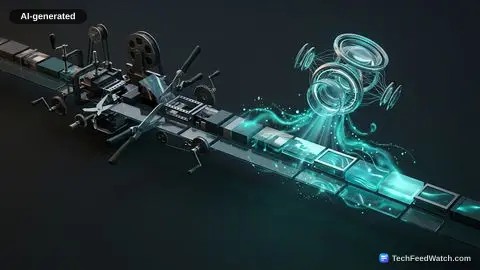
The best way to create AI videos is to abandon the expectation that a single prompt can spit out a finished film. True production consistency requires a modular pipeline:
- A text engine builds the conceptual story and scene logic
- A specialized diffusion model renders and extends consecutive video increments
- A dedicated timeline editor syncs synthetic audio
By treating generative tools as modular stages of an automated assembly line, creators bypass the visual incoherence, drift, and structural collapse that plague one-click video generators.
The Best Way to Create AI Videos Through Modular Prompt Pipelines
Achieving visual coherence starts long before rendering a single frame. The standard failure mode for creators is writing a broad prompt into a text-to-video box and expecting a sustained narrative.
Instead, the workflow begins in a large language model like ChatGPT, which establishes the thematic blueprint. For example, a creator outlines a narrative concept—such as an African man who rules a kingdom for 100 years—and instructs the model to convert that narrative into an episodic, scene-by-scene production script.
By scene 8 of about 10 scene generations, the model defines character traits, environmental conditions, and narrative beats. The breakthrough lies in prompt formatting: you instruct the language model to generate a master image prompt alongside chained visual prompts where each scene explicitly concludes by establishing the visual starting conditions of the next.
When crafting an establishing master prompt depicting a wide cinematic aerial view of the Kingdom of Zambara at sunset, the text model locks down color grading and lighting parameters. This structural preparation mirrors professional film pre-production, establishing continuity before moving to AI Video Creation: How to Use AI Tools to Make Dynamic Videos.
Transferring these prompts into visual generation requires understanding how diffusion-based video systems handle continuity. Moving to the Imagine tab inside Grok, users select an aspect ratio tailored to distribution—setting 9.16 for mobile platforms like TikTok and Facebook, or 16.9 for standard widescreen formats on YouTube.
Rather than attempting to render a long timeline immediately, the operator generates an initial master frame or baseline video lasting 6 seconds. As Nupeflaver Tv demonstrates, creators can generate complex narrative sequences in less than 10 minutes when prompts are structured to end right where the next scene begins.
Once the initial 6 seconds render, the operator selects the extend video command, shifts the timeline forward by another six second increment, and inputs the secondary scene prompt. This extends the clip into a cohesive 12-second sequence. Repeating this chain allows a 1-minute video, a 10-minute video, or a 30-minute video to take shape without jarring spatial inconsistencies.
Because inference occurs on remote cloud infrastructure, the entire rendering loop functions smoothly through browsers or apps installed from the Google Play Store and Apple Store, even when creators face severe local bandwidth limits, such as a sluggish connection from mobile network provider Glo. Creators seeking reliable rendering platforms often track Best Text to Video AI Tools for Free Clips to identify systems offering similar native clip-extension controls.
Visual extension solves only half of the production problem; video without synchronized audio feels hollow. Modern visual diffusion engines lack native speech synchronization, which means dialogue or narration generated within the video prompt itself tends to dissolve into unintelligible visual gibberish. The pipeline solves this by decoupling audio generation entirely.
Returning to ChatGPT, the creator prompts the system to extract a standalone voiceover narrative from the existing scenes, matching the script length to the accumulated video duration. This narrative text then moves to Google AI Studio, a free browser-based audio synthesis platform that renders clean, multi-tonal vocal tracks. The final consolidation takes place in a non-linear editor such as CapCut.
The operator imports the extended 12-second or multi-minute visual file, drops the synthesized voiceover onto the primary audio track, and trims pacing to ensure narrative cues align with scene transitions. Understanding the broader mechanics of AI Video Generator Usage: Mastering Free Text-to-Video Tools highlights why this multi-step approach consistently outperforms single-prompt attempts.