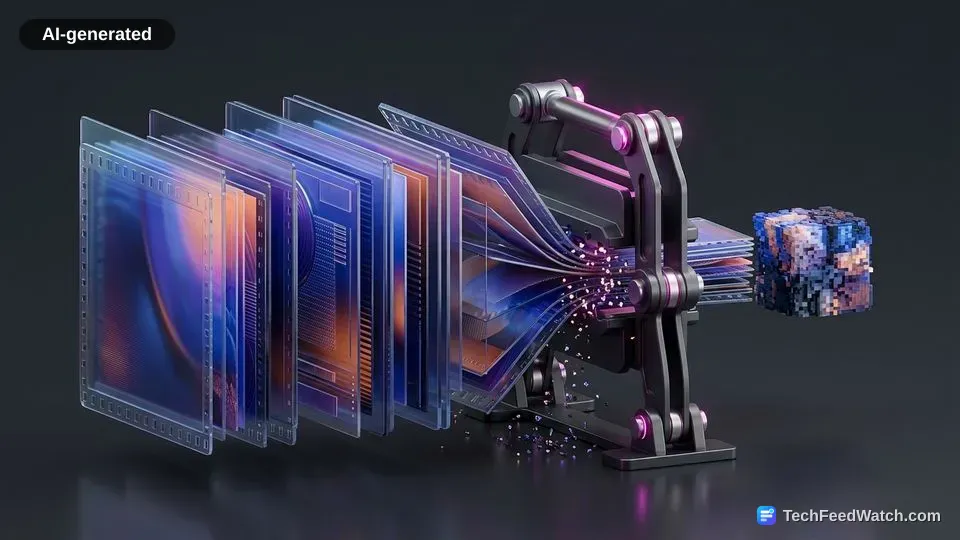
Quantization discards fine details that human eyes rarely notice
Quantization reduces file sizes by dividing frequency coefficients by scale factors and rounding them, permanently erasing imperceptible high-frequency textures to save data.
This step represents the irreversible, lossy core of video compression. According to the Fraunhofer Heinrich-Hertz-Institut, quantization divides frequency coefficients by a quantization parameter and rounds them to discrete values. By zeroing out subtle variations in complex textures, the encoder drastically simplifies the mathematical payload.
Chroma reduction operates on a similar principle of visual perception. According to ITU-T Recommendation H.264, encoders frequently apply 4:2:0 chroma subsampling before compression. This step halves color resolution horizontally and vertically because the human visual system is substantially less sensitive to chromatic differences than to luminance.
According to ITU-T Recommendation H.264, the final entropy coding stage uses lossless algorithms to complete the pipeline. It packs the quantized residual data and motion vectors into a compact bitstream without incurring additional data loss.
Does compressing a video always ruin picture quality?
Compressing a video does not always ruin picture quality. Visually lossless techniques preserve perceptual fidelity, while mathematically lossless methods retain every original pixel.
According to the Library of Congress Recommended Formats Statement documentation on FFV1, mathematically lossless compression reduces digital video data footprint by approximately 40% to 65% compared to raw uncompressed video. It accomplishes this while preserving 100% of the original pixel values bit-for-bit. While FFV1 guarantees exact preservation for archival storage, production environments favor perceptual optimization.
High-bitrate mezzanine formats demonstrate how perceptual compression balances quality with manageable storage. According to the Library of Congress digital format evaluation of Apple ProRes 422 HQ, uncompressed 10-bit 1080p video at 29.97 frames per second generates approximately 560 GB per hour.
In contrast, visually lossless compression at 220 Mbps preserves perceptual fidelity. At that rate, it reduces the file size to roughly 97 GB per hour.
Streaming services also optimize distribution using dynamic ladders. According to the Netflix Technology Blog study on shot-based dynamic optimization, content-adaptive compression ladders reduce required network bandwidth by over 20% to 50% relative to fixed bitrates. This optimization sustains the same target perceptual quality score on the Video Multimethod Assessment Fusion scale.
Aggressive compression produces macroblocking, banding, and ringing artifacts
Over-compressing video causes visible artifacts. Extreme quantization forces disparate pixel blocks into flat values, smearing gradients and producing sharp edge distortions.
When bitrates drop too low, the encoder fails to preserve the necessary residual data to reconstruct the scene accurately. According to the Scientific Working Group on Digital Evidence standard “Technical Overview of Digital Video Files”, lossy video compression discards information to lower bitrates.
When quantization is set too aggressively, this process introduces compression artifacts, including macroblocking, blurring, banding, and ringing. These visual flaws reveal the underlying grid and transform boundaries that are normally invisible.
The visual breakdowns caused by severe data reduction manifest in several distinct patterns:
- Macroblocking: Distinct rectangular pixel blocks appear across moving objects or detailed scenes when bit allocation drops too low.
- Color banding: Smooth gradients in skies or shadows turn into harsh stepped bands due to insufficient bit depth and aggressive chroma quantization.
- Ringing: Ghost-like ripples and halos emerge around sharp, high-contrast outlines due to truncated high-frequency transform coefficients.
- Blurring: Fine surfaces like foliage, hair, and film grain lose texture entirely as high-frequency detail is discarded.
Advanced codecs mitigate these flaws by achieving superior compression efficiency at lower bitrates. According to the Alliance for Open Media specification data, the open AV1 codec achieves more than a 30% bitrate reduction compared to VP9.
It also delivers roughly a 50% bitrate reduction compared to H.264/AVC at equivalent visual quality levels. These efficiency gains help streaming platforms prevent visible distortions during bandwidth constraints. Viewers examining synthetic media often look for these exact distortions when spotting the difference between AI video and real video.
Lex Clips on how FFmpeg powers modern video compression
Lex Clips explores how FFmpeg and open-source infrastructure handle the mathematical transformations, demuxing stages, and hardware decoding fallbacks that govern digital video encoding.
The speakers note that FFmpeg is utilized across more than 90% of all video pipelines. It functions as foundational software for platforms such as YouTube and Netflix.
According to the Lex Clips discussion, users have installed the open-source media player VLC upwards of 6.5 billion times. The software originally emerged from the VideoLAN project during the late 1990s.
The conversation with Lex Clips details the mechanical execution of modern playback, emphasizing that decoders cannot assume hardware acceleration is universally available. The participants in the Lex Clips video observe that nearly 45% of media files cannot be decoded by a GPU.
Consequently, these streams demand software fallback, which forces the CPU to parse containers and execute arithmetic entropy decoding directly. The speakers in the Lex Clips broadcast explain that MP3 reduces audio files by 10 times. In comparison, video encoders shrink raw footage by 100 to 200 times through aggressive perceptual degradation.
The Lex Clips panel points out that each new codec generation yields approximately 30% bitrate reduction for the same quality. However, encoding demands significantly greater computational power. For instance, an encoder can reuse a static cloud across 30 seconds of video background rather than recalculating the sky in every frame.
Lex Clips contributors state that standardized pairings ensure reliable delivery across disparate devices in 99% of everyday consumer playback scenarios. An example includes H.264 video paired with AAC audio inside an MP4 container.