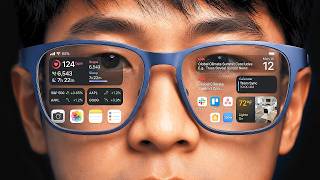
Augmented reality on Android devices offers a compelling blend of the digital and physical, primarily accessible through applications built with Google’s ARCore platform. While this technology enables immersive experiences like gaming and retail previews, its more advanced applications, such as precise indoor navigation, highlight both its potential and the substantial development effort required to make it truly effective for users.
Using augmented reality on Android is a straightforward process for the end-user, typically involving little more than downloading a compatible application and pointing their phone’s camera at the real world. Underneath this simplicity, however, lies a complex interaction of hardware and software, where the device’s camera, sensors, and powerful processors work in concert with ARCore to create digital overlays that appear anchored in physical space. This process involves the device constantly analyzing its surroundings, detecting surfaces, estimating light conditions, and tracking its own movement in three dimensions. The result is an interactive experience where virtual objects can be placed, moved, and scaled within the user’s immediate environment, providing an added layer of information or entertainment.
How Augmented Reality Operates on Android Devices
At its core, augmented reality functions by integrating digital data into a live view of the real world, most commonly through a smartphone camera. For Android, Google ARCore is the enabling technology. ARCore leverages several key capabilities: motion tracking, environmental understanding, and light estimation. Motion tracking allows the phone to understand and track its own position and orientation in space, which is critical for making virtual objects appear stationary even as the user moves. Environmental understanding, or plane detection, lets the device recognize horizontal and vertical surfaces, such as floors, tables, and walls, enabling apps to place digital content realistically on or against these surfaces. Light estimation ensures that virtual objects are rendered with lighting that matches the real-world environment, enhancing realism.
This sophisticated data processing requires significant computational power, which is why only ARCore-supported Android devices can effectively run these applications. When a user opens an AR application, the phone’s camera feeds video to ARCore, which then uses computer vision algorithms to map the environment. Developers then use ARCore’s APIs (Application Programming Interfaces) to define how digital content interacts with this mapped environment. For instance, in an indoor navigation app, developers might define “indoor markers” or “waypoints” that ARCore can recognize as anchor points in the physical space. These markers, potentially combined with Google Cloud Anchors, allow multiple users or devices to share the same AR experience in a precise location, facilitating collaborative or persistent AR applications. The video’s example of creating a navigation graph illustrates this point: it is not enough to simply place an arrow; the system must understand the sequence of spaces and how to guide a user through them. The initial push for AR came from a desire to augment human perception and interaction with information, a drive explored in more detail in Why Was Augmented Reality Invented to Change How We See the World?.
The Costs and Misconceptions of Mobile AR
The “cost” of using augmented reality on Android is multifaceted. For the end-user, the primary cost is access to a compatible, ARCore-enabled Android smartphone. While many modern Android devices support ARCore, older or budget models may not. Beyond hardware, the cost structure is typically tied to the applications themselves; many AR apps are free to download, with some offering in-app purchases or subscriptions for premium features. For developers and businesses, the costs are higher, involving development time, specialized software tools, and potentially licensing fees for complex AR solutions. The creation of precise indoor maps, for example, demands significant effort in data collection and calibration. This can be complex, requiring skills in areas like Master Prompt Engineering in 29 Min for 2025 AI Productivity if AI models are used to enhance environmental understanding or content generation.
However, several common misconceptions surround mobile AR. One prevalent error is equating augmented reality with virtual reality. AR overlays digital elements onto the real world, keeping the user grounded in their physical surroundings, whereas VR fully immerses users in a simulated environment. Another misconception is that AR experiences are universally flawless. While impressive, mobile AR can suffer from “drift,” where virtual objects slowly shift from their anchored positions, or struggle in challenging lighting conditions and featureless environments. Battery drain is a significant concern, as AR applications intensely utilize the camera, sensors, and processor. Furthermore, while the concept of “just pointing your camera” sounds simple, developing truly robust and accurate AR applications, particularly for precise tasks like indoor navigation, is technically challenging. It demands careful calibration, the creation of persistent anchors, and the ability to adapt to dynamic environments. Even in commercial sectors, the effective deployment of AR in areas like retail or manufacturing requires careful planning to ensure it genuinely adds value without introducing new complexities, much like Fintech AI Pressures Traditional Wealth Management shows technology pressure in other industries.
Where This Lands
Augmented reality on Android is a potent technology that has moved beyond novelty applications into practical tools. Accessing it is as simple as downloading an AR-enabled app on a compatible device, making it widely available. However, the true utility and immersive quality of AR are profoundly influenced by the sophistication of the underlying software and the environment in which it operates. While casual AR experiences are readily available, developing and deploying highly precise, persistent AR solutions, especially for complex tasks like indoor navigation, remains an intricate undertaking. Its full potential is unlocked when developers meticulously account for environmental variables, device limitations, and the fundamental challenge of robust spatial computing. As ARCore continues to evolve, supported by advancements in AI and mobile processing, the divide between casual and truly transformative AR experiences will narrow, offering increasingly accurate and integrated digital overlays for everyday life.