Why GPU parallel architecture is essential for neural networks
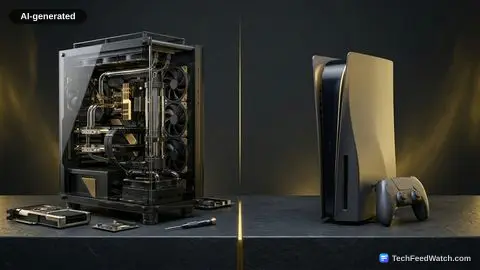
The fundamental difference between a CPU and a GPU, in the context of AI, lies in their design philosophy. CPUs are “jack-of-all-trades” processors, designed to handle a wide variety of tasks quickly and efficiently, with a few powerful cores optimized for complex, sequential operations.
GPUs, by contrast, are “masters of one,” built to perform simple calculations repeatedly and in parallel. This specialization is critical for the linear algebra operations that form the backbone of deep learning.
Consider a neural network, which processes information through layers of interconnected “neurons.” Each neuron performs a simple multiplication and addition (a dot product), and in a large network, thousands or millions of these operations occur simultaneously across multiple layers.
A GPU can assign these individual calculations to its numerous cores, processing them all at once. This parallelization dramatically accelerates the training phase, where the model learns from vast datasets, and also speeds up inference, where the trained model makes predictions.
Central to a GPU’s performance in AI is its Video Random Access Memory (VRAM). As GadgetGeeks underscores, “In AI and machine learning, VRAM is king.”
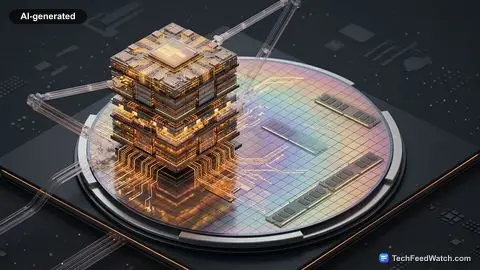
This dedicated, high-bandwidth memory stores the neural network’s weights, the input data, and all intermediate calculations during training and inference. The capacity of VRAM directly impacts the size and complexity of the models that can be run.
As GadgetGeeks explains, VRAM “dictates exactly how large of a data model or neural network your laptop can hold in its memory before crashing with an out of memory error.” For instance, training large language models or working with high-resolution image datasets demands substantial VRAM, often 8GB, 12GB, or even more.
The Lenovo LoQ15, for example, is highlighted for slipping an Nvidia GeForce RTX 4050 with 6GB of VRAM into its price bracket, providing an extra 2GB of VRAM over some alternatives which “allows you to train significantly larger batch size in deep learning pipelines.” This additional VRAM capacity directly translates to the ability to experiment with more complex models like Generative Adversarial Networks (GANs) and run larger language models locally via the AI software tool O Lama.
Beyond traditional GPUs, a newer class of specialized processors called Neural Processing Units (NPUs) is emerging, particularly in mobile and edge devices. These are specifically designed for AI inference tasks, offering high efficiency for specific types of neural network operations. The Asus Vivobook 14 AI, for instance, features a dedicated 50 tops NPU.
This integrated hardware enables capabilities like running “local quantized small language models like Llama 3 directly on the chip without needing a heavy gaming rig.” While NPUs are excellent for power-efficient inference, GPUs generally remain the workhorses for intensive AI training. The article “What are NVIDIA AI Chips and Their Role in AI?” details the broader context of such specialized chips.
How accessible GPUs empower local AI development and learning
The GPU’s role in AI is not merely about speed; it redefines what is possible in AI development and deployment.
Faster training cycles mean researchers and developers can iterate on models more quickly, experiment with different architectures, and achieve higher accuracy in shorter timeframes. This acceleration is critical for advancements in fields like natural language processing, computer vision, and autonomous systems.
For students and developers, accessible GPU hardware democratizes AI development. Laptops featuring discrete GPUs like the Nvidia GeForce RTX 3050, as seen in the MSI Cyborg 14 and Acer Nitro V15, provide the power needed for significant local AI work. These machines can handle tasks such as “running multi-layer perceptrons,” “computer vision projects using OpenCV,” and “data scrapping algorithms.”
Students can also comfortably run “PyTorch lab assignments,” which are fundamental to deep learning education. The ability to run these computationally intensive processes locally means less reliance on cloud computing resources, offering greater control, privacy, and potentially lower costs for individual users.
The integration of GPUs and NPUs into consumer-grade hardware also enables a shift towards “on-device AI.” This means AI models can run directly on laptops or smartphones, rather than always requiring a connection to a remote server.
This approach enhances privacy, reduces latency, and allows for AI applications in environments with limited internet connectivity. For students focusing on “on-device AI, natural language processing, prompt engineering and hybrid cloud execution,” devices like the Asus Vivobook 14 AI with its 50 tops NPU become indispensable tools.
Such systems can efficiently run smaller, optimized models, making AI more ubiquitous and responsive. Understanding the full scope of this physical infrastructure is vital, as explored in Physical AI Infrastructure Powers Global AI Services.
Budget hurdles and VRAM bottlenecks in local AI development
While the benefits of GPUs for AI are clear, there are significant considerations often overlooked, especially regarding cost and practical limitations for individual developers. The push for powerful AI-capable hardware comes with a price tag.
For students or individuals, balancing budget with performance is a key challenge. As GadgetGeeks notes, “If you have a budget of up to 60,000 rupees, you are in what I call the golden sweet spot for students who are looking for AI laptops because moving past 50K opens up significantly better graphics, better processor with a higher TGP that is total graphics power and larger VRAM capacity.”
This highlights that while entry-level AI capabilities might exist below 50,000 rupees, meaningful hardware-accelerated deep learning often requires an investment beyond that threshold.
The primary limitation on local AI development is often VRAM capacity. Even with a powerful GPU, if the VRAM is insufficient, larger models will simply fail to load or train effectively. This is where many users hit a wall, as VRAM is typically not upgradeable in laptops.
While a GPU like the Nvidia GeForce RTX 3050 is a strong performer, its VRAM might become a bottleneck for exceptionally large language models or cutting-edge generative AI projects. How Much Memory Does a Local LLM Need for AI? further explores these memory requirements.
Another aspect is power consumption and thermal management. High-performance GPUs generate considerable heat and consume significant power, which impacts laptop battery life and design.
Devices like the MSI Cyborg 14 and Acer Nitro V15, despite their discrete Nvidia GeForce RTX 3050 graphics, offer only around 4 hours of battery life during standard usage. This contrasts with more NPU-focused machines like the Asus Vivobook 14 AI, which, with its 75-watt hour battery, can easily last “7 to eight hours of active texture editing and programming” by relying less on a power-hungry discrete GPU for certain AI tasks.
The Asus Tough Gaming A15, despite also featuring an Nvidia GeForce RTX 3050, manages to offer 6.5 hours of productivity from an outstanding 90W hour battery, thanks to its more solid, gaming-oriented design with “comprehensive cooling pipes.”
This illustrates the trade-offs between raw GPU power, battery longevity, and chassis design. Users must understand these compromises when selecting hardware for their specific AI needs.
The emergence of NPUs also means that not all “AI tasks” necessarily need a traditional high-end GPU.
For lightweight, on-device inference, an efficient NPU might be more suitable, offering better battery life and a thinner form factor, as exemplified by the Asus Vivobook 14 AI which is built for “maximum campus mobility” at just 1.4 kg. This distinction is critical for understanding the diverse hardware ecosystem supporting AI.
Why GPUs remain foundational to the future of AI
The reliance of artificial intelligence on Graphics Processing Units is undeniably a permanent shift, not a passing trend. The fundamental computational requirements of deep learning necessitate the parallel processing capabilities that GPUs uniquely provide. As AI models continue to grow in complexity and scale, the demand for ever more powerful and efficient GPUs, along with specialized NPUs, will only intensify.
The evolution of hardware, driven by this demand, has democratized access to AI development, moving advanced capabilities from exclusive data centers to individual workstations and even portable laptops. While challenges remain in balancing performance with cost, power, and thermal management, the industry continues to innovate.
The future of AI will continue to be intrinsically linked to advancements in GPU and NPU technology, driving both the cutting edge of research and the practical applications that permeate our daily lives. This enduring relationship between AI and specialized processing hardware solidifies the GPU’s foundational role in the technological field for years to come.