VR Headsets: Difference Between Virtual Reality and XR Glasses

Researched with a video published on YouTube by Naysy. TechFeedWatch is not affiliated with the creator, and all rights to the video remain theirs.

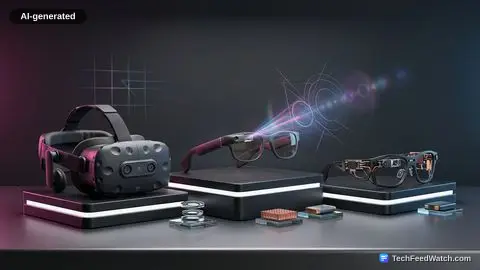
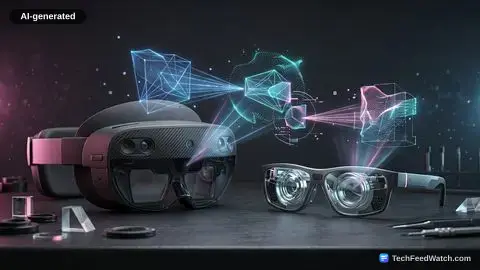
The difference between virtual reality and XR glasses boils down to total spatial immersion versus portable display mirroring. While VR headsets seal off vision to drop users directly into interactive 3D worlds, XR glasses beam a massive wearable monitor into everyday view. Understanding the trade-offs between bulk, software flexibility, and hardware comfort will determine which device actually earns a place in your everyday setup.

The fundamental difference between virtual reality and XR glasses lies in the divide between total environment substitution and personal display expansion. Virtual reality isolates your visual field completely, employing positional tracking and specialized hand controllers to construct an interactive spatial world.

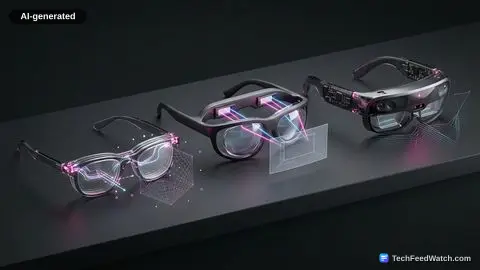
XR glasses ditch the internal compute, cameras, and bulky straps to function purely as a wearable external monitor tethered to the devices already in your pocket.

Understanding the difference between augmented reality and virtual reality clarifies why these form factors diverge so sharply in use. A virtual reality system demands your complete physical and sensory commitment. XR glasses merely request an open USB-C port, floating a flat screen in your line of sight without detaching you from physical reality.

The Architectural Divide: Immersion Engines Versus Wearable Screens

Virtual reality devices like the Meta Quest 3 deliver total optical occlusion. They process computer vision internally, track your hands across three-dimensional coordinate planes, and project interactive synthetic environments directly over your eyes. Standalone VR hardware acts as an independent computer.

Upcoming systems like the Steam Frame from Valve aim to replicate that standalone philosophy by packing local architecture directly onto your head, effectively putting a Steam Deck on your face to play 2D Steam libraries alongside spatial titles. When examining what are the fundamental differences between AR and VR, the primary distinction remains software autonomy: VR builds an entire room inside the visor.

XR glasses discard that ambition entirely in exchange for pure hardware reduction. Hardware such as the Viture Pro (referred to as Viture Beasts) or the XREAL Air 2 Pro (referred to as Xreal 1 Pro) contains no internal operating system, battery, or local processing unit.

They do not generate complex digital physics or compute six degrees of freedom. Instead, they accept display signals through a physical DisplayPort-over-USB-C line.

Plug them into an iPhone, a MacBook, or a handheld PC like the Steam Deck or ASUS ROG Ally, and the hardware simply mirrors the screen.

Users can even connect a mobile controller to a smartphone to pull Xbox Cloud Gaming or PlayStation Remote Play sessions directly into their visual field. Consoles like the Nintendo Switch require extra hardware gymnastics, requiring dedicated dock-adapter accessories to bypass Nintendo’s proprietary display output handshakes.

Software boundaries define this trade-off. In full VR, platforms like Bigscreen seat you beside friends in simulated movie theaters, while utilities like Photon reconstruct standard 2D flat video into pseudo-3D projections complete with dynamic ambient lighting.

You can link headsets to a desktop through apps like Virtual Desktop or stream from cloud services via native storefront tools like the Xbox on Meta Quest app.

XR glasses provide none of that simulated depth natively. They simply push a raw video feed straight to micro-OLED panels, casting an image that feels around 174 inches in scale straight into your retina.

Watch: the video

13 min video by Naysy.

Still gaining. This video has gone from 25,691 to 34,276 views — up 33% since we started tracking it on September 25, 2026.

Comfort, Mass, and Everyday Utility

Hardware weight governs long-term adoption far more reliably than field-of-view metrics or pixel density sheets. Virtual reality headsets carry substantial physical footprints.

The Meta Quest 3 weighs roughly 550 grams, while Valve’s Steam Frame sits at an estimated 440 grams. Strap half a kilogram to your cheekbones and you invite facial fatigue, trapped warmth, and lens fogging within an hour of continuous use.

XR glasses collapse that physical penalty. At roughly 88 grams, units like the Viture Pro weigh five to six times less than a standard VR headset. Because the chassis rests on the bridge of your nose like conventional eyewear, your peripheral vision remains open.

You can glance down at your smartphone, grab a drink, or monitor your immediate environment on an airplane without managing external passthrough cameras. VR setups rely on video passthrough to reveal your surroundings, which introduces digital noise, latency, and perspective warping. Early indicators on the upcoming Steam Frame even point toward black-and-white passthrough cameras, limiting natural environmental awareness.

Thermal dissipation presents its own distinct challenges. While XR glasses run hot to the touch after extended video playback, that thermal buildup concentrates on the frame rather than sealing against your skin.

You escape the sweaty foam gaskets typical of intense VR gaming. As veteran immersive technology creator Naysy points out after spending close to a decade evaluating VR hardware, the low-friction appeal of XR glasses consistently wins out over the cumbersome setup of dedicated headsets for casual daily media consumption.

Power management marks another divergent path. Standalone VR headsets operate between two to two and a half hours on a full charge before requiring a tethered power bank or an aftermarket battery headstrap.

XR glasses draw power directly from the host device. Connect them to an ASUS ROG Ally and your runtime mirrors the handheld’s aggressive battery discharge rate, though adding a split charging dongle allows simultaneous power delivery for indefinite runtime.

Optical correction introduces unexpected costs across both ecosystems. The Viture Pro features built-in dial adjustments that let nearsighted users calibrate focus without external aids. Yet neither the Viture nor XREAL designs accommodate standard optical frames underneath their frames; severe astigmatism or complex prescriptions demand custom snap-on prescription lens inserts.

Meta Quest headsets allow users to wear standard glasses directly inside the facial cavity—often using an included plastic spacer—though bespoke lens inserts remain the most comfortable upgrade. Those curious about pairing consumer hardware can reference our How to Use a Virtual Reality Headset With Android.

The Economics of Single-Purpose Hardware

Pricing between dedicated VR headsets and high-end video glasses reveals a paradoxical economic field. The Viture Pro retails at 549, while the XREAL Air 2 Pro commands 599.

Those figures place them close to the Meta Quest 3 at 599, and well above entry-tier spatial hardware like the Meta Quest 3S at 349. Meanwhile, Valve’s upcoming Steam Frame is widely expected to approach the $1,000 mark, leaving enterprise options like the Apple Vision Pro—which retails for over six grand in international markets like Australia—in a distant corporate tier.

Evaluating these price points requires examining actual utility:

  • XR Glasses ($549–$599): High-grade micro-OLED displays delivering pristine black levels, zero screen-door effect, and unmatched transit ergonomics, yet limited entirely to acting as an external visual terminal.
  • Mainstream VR ($349–$599): Self-contained operating environments that handle 6DoF gaming, virtual monitor workspace simulation, interactive software ecosystems, and spatial video playback.

Buyers must confront what they are actually purchasing. The hardware expense of XR glasses does not buy computational autonomy or groundbreaking spatial capabilities. It buys optical miniaturization, superior thermal convenience, and panel quality that makes flat desktop entertainment effortless.

Choosing Between Immersive VR and Portable XR Screens

Virtual reality headsets remain entirely unmatched if your goal is genuine spatial presence, motion-tracked room-scale gaming, or shared virtual cinema software. But if your goal is kicking back on a couch, surviving an eight-hour flight, or gaming on a Steam Deck without hunching over a tiny seven-inch LCD, XR glasses are the mathematically and ergonomically superior tool.

The market has spent years convincing consumers that every wearable face display must become a comprehensive spatial computer. A wearable face display does not need to be a comprehensive spatial computer.

By dropping the pretense of full spatial computing, XR glasses solve the real problem: giving you a high-definition 174-inch screen you can fold up and slip into a coat pocket. Choose the tool that matches your friction tolerance, not the industry hype cycle.

Frequently Asked Questions

What is the main difference between virtual reality and XR glasses?

Virtual reality headsets seal off your surroundings to place you inside interactive 3D environments using motion controllers. In contrast, XR glasses serve as wearable secondary monitors that project a virtual flat screen over your actual physical surroundings.

Can you wear regular prescription glasses with XR glasses?

No, XR glasses sit directly against your face and cannot fit over standard spectacles, requiring built-in diopter adjustments or custom prescription inserts. Most VR headsets provide enough facial cavity depth or dedicated spacer inserts to accommodate standard eyeglasses comfortably.

How does battery life compare between VR headsets and XR wearable displays?

VR headsets run on internal batteries that generally last between two to two and a half hours under continuous use. XR glasses draw power directly from connected host devices like phones, laptops, or consoles, lasting as long as the source device holds power.

Jacob S. Olsen

Jacob S. Olsen

Runs TechFeedWatch, from Denmark

How this article was made: every article starts from two things — a question people search for on Google, and a video from an independent creator on that subject. A language model writes the article to answer the question, using the video's transcript as its research material. It publishes automatically — I do not read every article before it goes live. The creator is credited on this page.

What is mine is the machinery and the rules it follows: which subjects, which sources, what gets rejected, and what this site is allowed to claim. More on that here — and if something is wrong, tell me.