How sensor fusion and spatial tracking anchor virtual objects
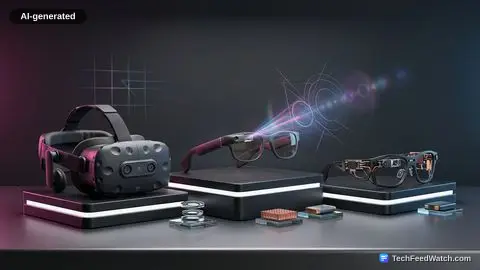
Extended Reality, or XR, functions as the parent term for immersive compute environments. Within this framework, virtual reality replaces most of what you see with a fully simulated environment.
Augmented reality adds visual overlays on top of a physical view. Augmented Reality Uses Computer Vision to Layer Digital Objects to project basic overlays, but mixed reality advances this process by making digital models understand and interact directly with physical surroundings.
To make a virtual object behave as if it exists in a room, hardware must solve spatial tracking. Systems achieve this by calculating 6 degrees of freedom: tracking physical movement along three axes alongside rotational orientation around those same three axes.
Cameras observe local environmental features such as table edges, wall textures, and carpet corners. Simultaneously, an inertial measurement unit (IMU) tracks high-speed physical acceleration and rotation.
Neither sensor modality functions reliably on its own. Cameras provide fine spatial detail but drop frames or lose track during rapid head turns; inertial sensors react instantaneously but suffer from mathematical drift over time. Software resolves this through sensor fusion, merging camera updates with high-rate inertial tracking to form a stable position estimate.
Once tracked, the system constructs a spatial map of the room using surface planes or three-dimensional polygon meshes. Within this map, software establishes an anchor—a remembered pose defined inside a global coordinate system. Every single frame, the renderer updates the mathematical relationship between three spaces: the device itself, the physical room, and the anchored digital object.
The tracking pipeline:
- Sensor fusion loop: cameras capture visual features, the IMU tracks rapid rotation
- Spatial mapping: detects floor planes, walls, and 3D mesh
- Coordinate anchor: updates three spaces, the device, the room, and the digital item
- Occlusion and rendering: hides virtual geometry behind real obstacles
To maintain photorealism and depth perception, the spatial map enables occlusion. If a real object sits closer to the user than a virtual object, the graphics pipeline must hide the obscured geometry of the digital item behind the real surface. Without accurate occlusion, digital items appear unnaturally pasted onto the foreground rather than sitting inside the physical environment.
How spatial precision transforms practical purchasing decisions
The mechanical distinction between simple projection and true mixed reality changes how software solves everyday practical problems. Consider a practical retail scenario: a shopper wants to know whether a new piece of furniture will fit their living space.
A standard camera app merely projects a flat picture over the view. A mixed reality shopping application prompts the user to point their device toward the floor, scanning the surroundings to place a full-size digital sofa beside a real coffee table.
Because the system tracks 6 degrees of freedom, the user can walk to the opposite side of the room, inspect the fabric from an acute angle, or modify the item’s color scheme in real time. The digital sofa stays anchored to the physical floor boards because the rendering engine continuously calculates the user’s changing perspective relative to the stationary room coordinates.
This spatial precision alters real-world decisions. As user testing demonstrates, someone can walk completely around the digital sofa, evaluate its scale against their real coffee table, and discover that the selected length would block an adjacent doorway. They swap the model for a smaller variant before making an online purchase, avoiding costly shipping returns and logistical friction.
These practical outcomes rely heavily on underlying algorithms like SLAM (Simultaneous Localization and Mapping). What SLAM Means for Anchoring Augmented Reality Objects explains how hardware constructs real-time coordinates, showing How Augmented Reality Changes Spatial Interaction across enterprise and consumer workflows.
Why featureless surfaces and latency disrupt spatial tracking
While promotional material presents spatial computing as effortless, real-world execution faces significant physical limitations. Spatial mapping depends on visual variance.
If a user points their device toward a plain white wall, tracking performance degrades instantly. Because the system’s cameras detect zero useful corners, high-contrast textures, or distinct edges, the internal position estimate begins to drift, causing the digital sofa to slide or float away from its assigned floor coordinate.
Stabilization occurs when distinctive physical landmarks return to view. When a patterned rug or a window frame re-enters the camera’s field of view, the tracking engine compares those incoming features against its existing spatial map and relocalizes itself. This correction brings the digital anchor back to its exact physical position.
- Visual tracking on high-contrast textures (rugs, windows, furniture edges) leads to stable anchor coordinates and solid object rendering.
- Tracking on featureless surfaces (plain white walls, uniform lighting) leads to visual drift or slide and an unstable spatial agreement.
Latency creates another engineering hurdle. Motion-to-photon latency measures the exact delay between a user’s physical movement and the updated pixels hitting their eyes.
If this rendering pipeline stutters or delays, virtual objects lag behind physical head movements, creating visual swim that causes user discomfort and breaks immersion. Maintaining low and consistent motion-to-photon latency requires tight optimization between tracking sensors, spatial coordinate math, and GPU frame preparation.
Beyond graphics rendering, spatial tech introduces serious data security considerations. In Simple Terms with Satish points out that XR has a privacy boundary as well as a rendering problem.
To anchor virtual objects reliably, headsets and smartphones constantly record sensitive environmental data, including room floorplans, private home furnishings, personal eye gaze vectors, and hand movement patterns. Processing this spatial telemetry safely demands strict local permissions and transparent data boundaries.
Mixed reality as the next foundational computing interface
Mixed reality is far more than a miniature screen strapped to a face. It operates as a complex, continuous agreement between onboard hardware sensors, a dynamic spatial map, shared coordinate anchors, user input handlers, and high-speed rendering software. When this system loop functions smoothly, virtual objects remain firmly planted on physical floors.
When tracking algorithms fail or latency spikes, the illusion collapses immediately. As sensor hardware grows smaller and spatial mapping chips grow more efficient, mixed reality will transition from an impressive hardware feature into a foundational interface paradigm for modern computing.